

Amazon Store Archives - Page 2 of 5 - Amazon Listing Service

Category: Amazon Store

Various Benefits of Setting up an Amazon Store

Various Benefits Of Setting Up An Amazon Stor

What is the first thought that crosses your mind when someone mentions online shopping? For most people, the answer appears without hesitation. Amazon. It has quietly become a daily habit, a digital marketplace people trust without questioning. This is precisely why building an Amazon eCommerce business on this platform feels less like a risk and more like a natural step forward.

Today, sellers are no longer asking whether they should be online. They are asking where they should be online. The Amazon ecosystem offers reach, structure, and scale, all wrapped inside one powerful marketplace. From small brands to global enterprises, everyone is discovering the long-term Amazon seller benefits that come with owning a dedicated Amazon Store.

Thanks to the growing benefits of Amazon storefront, more brands are choosing to create their own space within Amazon rather than blending into crowded search results. Before exploring these advantages, it is important to understand what an Amazon Store actually is.

Table Of Contents

What Is An Amazon Store?

Amazon Is Helping Its Registered Sellers Do More Business On Its Amazon Platform

The Ideal Platform To Showcase Inventory

An Ideal Platform To Launch A New Product

Vendors Have Realized That The eCommerce Platform Is Here To Stay

Helps Business Owners Take Their Business Online

Consumers Trust Amazon

Amazon Ranks High On Search Engine Research Pages
FAQs

Conclusion

Amazonstore

What Is an Amazon Store?

As of 2025, more than 300,000 brands have created their own Amazon Stores. This number alone explains how valuable an Amazon virtual store has become. In simple language, an Amazon Store is a brand’s personal home inside Amazon.

It is a customizable, multi-page shopping destination where sellers can display products, highlight collections, and share brand stories. Unlike standard product listings, an Amazon eCommerce store allows full control over layout and presentation.

To create an Amazon Store, sellers must enroll in the Amazon Brand Registry. Once approved, sellers can build their store at no additional cost and receive a unique Amazon URL. Among the many Amazon storefront benefits, a branded shopping experience stands out the most.

Amazon Is Helping Its Registered Sellers Do More Business on Its Amazon Platform

It surprises many sellers that Amazon not only allows free registration but actively supports growth. The platform constantly rolls out new tools, features, and policies to help sellers succeed.

One of the strongest benefits of Amazon business account access is the increasing number of eCommerce functions Amazon now offers to third-party sellers. From enhanced analytics to advertising tools, sellers receive structured support.

This commitment makes Amazon more than a marketplace. It becomes a growth partner.

Onl Shop

The Ideal Platform to Showcase Inventory and Amazon Storefront Benefits

An Amazon Store allows sellers to present inventory in an organized, visually appealing manner. Products are grouped logically. Categories feel clean. Navigation feels intuitive.

Instead of products appearing in a cluttered list, each item receives space and identity. This structure enhances user experience and highlights the advantage of shopping using Amazon.

Take toothpaste as an example. Amazon does not simply list products randomly. It categorizes them by ingredients, age groups, and specific needs. Customers find exactly what they want faster. Sellers benefit from clarity, and it is a win-win situation for everyone.

An Ideal Platform to Launch a New Product Using Amazon eCommerce Store

Launching a product on Amazon offers unmatched exposure. At any given moment, millions of users browse the platform from different regions.

For small and medium businesses, this reach is powerful. The benefits of an Amazon storefront become especially visible during product launches. Brands gain instant visibility, credibility, and momentum.

Amazon does not replace offline channels. It amplifies them.

Vendors Have Realized that the eCommerce Platform Is Here to Stay

The pandemic changed buying habits permanently. While many expected eCommerce growth to slow after lockdowns, the opposite happened.

Even as physical stores reopened, online shopping remained strong. Amazon continued to thrive despite market fluctuations. Sellers realized that building an Amazon eCommerce business was no longer optional. It was essential.

With Amazon’s stability and scale, vendors feel confident that their digital storefronts are secure.

Amzon Scale

Helps Business Owners Take Their Business Online With Amazon Virtual Store

Imagine a small business owner selling handmade jewelry in a local market. Loyal customers exist, but growth is slow.

By setting up an Amazon Store, the business suddenly gains visibility. Orders arrive daily, sales increase, and the brand evolves.

This transformation reflects the real-world advantages of Amazon business account access. Sellers expand without losing control. Physical stores continue, and digital sales multiply.

Consumers Trust Amazon and Its Seller Benefits

Trust is difficult to earn online. Amazon already has it.

Sellers benefit from Amazon’s reputation instantly. Customers feel safe purchasing from the platform. This trust becomes a silent sales driver and one of the strongest Amazon seller benefits.

Amazon Ranks High On Search Engine Research Pages

When users search for products online, Amazon almost always appears on the first page. This organic visibility drives traffic consistently.

For sellers, this means free exposure alongside paid marketing opportunities. The advantage of shopping using Amazon also becomes an advantage of selling on Amazon.

FAQs

1. What is an Amazon Store?

An Amazon Store is a branded, customizable shopping space within Amazon.

2. What are the benefits of Amazon storefront?

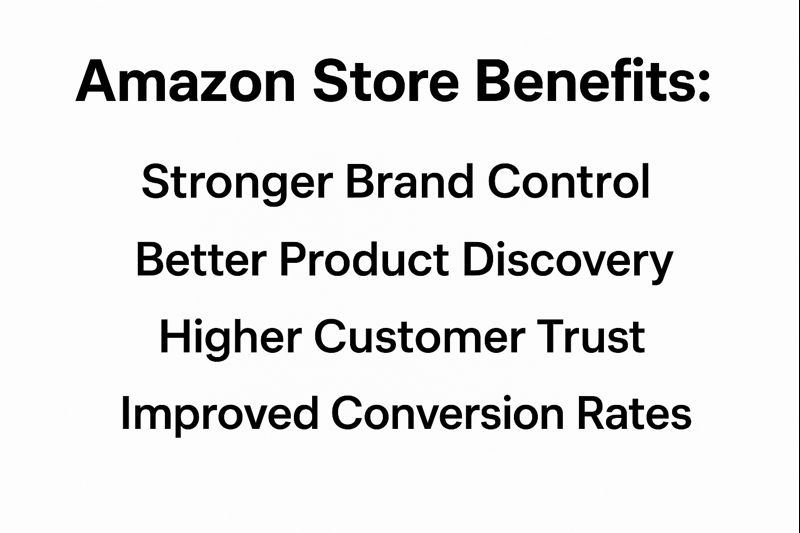
It improves branding, customer experience, and product discoverability.

3. Is an Amazon business account necessary?

Yes, it unlocks advanced tools and additional seller benefits.

4. How does Amazon help eCommerce businesses grow?

It helps through traffic, trust, analytics, and scalable infrastructure.

5. Should small businesses use an Amazon eCommerce agency?

Yes, agencies simplify setup, optimization, and long-term growth.

Conclusion

Setting up an Amazon Store is not just about selling products. It is about building presence, trust, and momentum. The Amazon storefront benefits extend far beyond visibility.

With strong infrastructure, customizable templates, SEO-friendly navigation, and secure transactions, Amazon offers a reliable foundation for growth.

Whether you are starting fresh or expanding, an Amazon Store opens doors that physical locations cannot.

Ready to build a high-performing Amazon Store?

Vserve Amazon Listing Services helps brands design, optimize, and manage Amazon storefronts that convert visitors into loyal buyers. Partner with an experienced Amazon eCommerce agency that understands growth.

Call our experts today.

Suggested Reads

https://www.Amazonlistingservice.com/blog/best-analytics-and-reporting-tools-for-Amazon-storefront-management-2025/ - Explores analytics tools for smarter storefront performance decisions.

https://www.Amazonlistingservice.com/blog/streamlining-Amazon-account-setup-electronics/ - Guides simplified Amazon account setup for electronics sellers.

https://www.Amazonlistingservice.com/blog/top-7-Amazon-store-management-services-for-maximizing-sales-and-revenue-in-2026/ - Reviews services that boost Amazon store sales growth.

https://www.Amazonlistingservice.com/blog/ai-tools-Amazon-aplus-storefront/ - Explains AI tools enhancing A+ content and storefronts.
Top AI-Powered Tools for Amazon A+ Content and Storefront Optimization

Amazon Storefront

When I talk with Amazon sellers, one challenge always stands out: standing out in a crowded marketplace. Whether it’s underperforming product listings, weak storefront design, or A+ content that fails to convert, sellers often struggle to capture attention and drive sales. That’s why professional Amazon store management services powered by AI are becoming the go-to solution for serious brands.

At Vserve’s Amazon Listing Service, we specialize in helping sellers with Amazon store setup and management services, from storefront creation and catalog optimization to full-scale Amazon FBA setup and A+ content enrichment. By combining AI tools with expert oversight, we give brands the edge they need to thrive.

Amazon Store Management Services 2025

Specifics

Details

Key Services

A+ content creation, storefront setup, product listing optimization, FBA setup, SEO-driven copywriting, and catalog management.

Specialized Support

End-to-end Amazon store setup and management services, blending AI-powered insights with human-led creative execution.

Industries Served

Retail, fashion, home décor, electronics, beauty, FMCG, and global eCommerce brands.

Client Types

SMBs, mid-market sellers, and enterprise-level brands seeking an Amazon store management agency.

Contact Details

INDIA: 2nd & 3rd Floor, Vijay Towers, Father Randy Street, RS Puram, Coimbatore, Tamil Nadu – 641002

PHILIPPINES: VEB Solutions, 19F Marco Polo Ortigas, Sapphire Rd, Ortigas Center, Pasig, Metro Manila – 1600

In this blog, I want to walk you through the top AI-powered tools for Amazon A+ Content and Storefront Optimization. These aren’t just buzzwords; I’ve seen these tools drive conversions, boost traffic, and elevate brand presence for our clients. They’re the same AI-enabled workflows we integrate as part of our Amazon store creation services, helping businesses cut costs, improve visibility, and grow faster.

Let’s dive in.

Table of Contents

Why AI Matters for Amazon A+ Content and Storefronts

AI-Powered Copywriting Tools for A+ Content

AI Tools for Image and Design Enhancement

AI for SEO and Keyword Optimization

AI in Storefront Personalization

Case Study: How AI-Enhanced A+ Content Boosted Sales

Common Pitfalls and How to Avoid Them

Frequently Asked Questions (FAQs)

Conclusion

Why AI Matters for Amazon A+ Content and Storefronts

When I first started managing Amazon stores, optimizing content was mostly manual. Writing descriptions, testing images, and adjusting keywords were time-intensive and often inconsistent. Today, AI tools make this process faster and smarter.

For example, according to a Statista report, 71% of eCommerce leaders now use AI tools for content creation and customer engagement, and Amazon sellers adopting AI report conversion increases of up to 25%. That’s because AI doesn’t just automate, it learns from consumer behavior and marketplace trends.

From generating keyword-rich copy to analyzing heatmaps of where customers click, AI helps brands:

  • Predict which visuals will perform best.
  • Personalize product recommendations on storefronts.
  • Reduce guesswork in A/B testing.
  • Automate repetitive catalog management tasks.

In my opinion, AI is not replacing human creativity; it’s enhancing it. That’s why the smartest brands combine AI tools with expert Amazon store management agencies like ours.

AI-Powered Copywriting Tools for A+ Content

One of the biggest challenges sellers face is writing compelling product descriptions. Shoppers skim, not read, so your copy has to be sharp, informative, and keyword-optimized. AI-powered copywriting tools like Jasper AI and Copy.ai make this much easier.

Here’s how I use them:

1. Generate keyword-rich bullet points for product features.

2. Reframe technical details into customer-friendly language.

3. Localize descriptions for global marketplaces.

For example, I worked with a client in the home décor niche struggling with poor conversions. By using Jasper AI to draft multiple content variations and then refining them manually, we boosted their click-to-conversion rate by 18% in just six weeks.

At AmazonListingService.com, we take the same approach: AI drafts, and our experts polish to ensure compliance with Amazon’s rules. This balance of speed and accuracy gives our clients a clear edge.

AI Tools for Image and Design Enhancement

If copy captures attention, visuals seal the deal. AI-powered design tools like Canva AI, Remove.bg, and Let’s Enhance help sellers create professional product images and storefront banners at scale.

What makes these tools powerful is not just background cleanup but also predictive design. AI can analyze which color palettes or layouts are most engaging to customers. For storefronts, tools like Figma with AI plugins allow quick mockups aligned with brand identity.

A real-world example: a beauty brand I consulted with used AI image enhancement to re-shoot and optimize their product line visuals. According to internal sales reports, their A+ content pages with AI-optimized visuals outperformed older versions by 23% in conversions.

Our Amazon store setup and management services integrate similar workflows, AI cleans and enhances, while our creative team ensures the design aligns with Amazon’s guidelines.

AI for SEO and Keyword Optimization

No matter how beautiful your A+ content is, it won’t work without strong keyword targeting. Tools like Helium 10, Jungle Scout AI Assist, and DataHawk leverage AI to find high-performing keywords with precision.

Here’s how I typically use them:

  • Identify competitor keyword gaps.
  • Monitor trending long-tail searches.
  • Suggest optimized titles and bullet points.
  • Automate backend keyword placement.

For instance, Helium 10’s AI-powered keyword tracker helped one of my clients in the electronics category dominate seasonal keywords like “wireless earbuds under $50.” This led to a 35% increase in organic traffic during the holiday season.

As an Amazon store management agency, we embed these tools into our standard SEO processes. The AI handles data crunching, and we use insights to craft storefront strategies.

AI in Storefront Personalization

One of the most exciting developments is AI-driven personalization. Storefronts are no longer static; they can adapt based on customer preferences. Tools like Amazon Personalize and third-party platforms like Dynamic Yield make this possible.

Imagine this: a customer who has previously bought yoga mats visits your Amazon storefront. Instead of seeing random products, they’re shown yoga accessories, mats, and bundles. That’s personalization at scale.

A McKinsey study shows that 71% of consumers expect personalized interactions, and brands that personalize see 40% more revenue growth. With AI, even small sellers can now deliver that level of engagement.

In our Amazon store services, we integrate personalization into storefront builds, ensuring shoppers feel like every page speaks to them.

Case Study: How AI-Enhanced A+ Content Boosted Sales

A case that always stands out is from a client in the kitchenware industry. They had strong products but poor storefront engagement. We implemented:

  • Jasper AI for rewriting all product descriptions.
  • Canva AI for storefront visuals.
  • Helium 10 for keyword targeting.

Within three months, their Amazon dashboard showed:

  • 22% increase in page visits.
  • 19% lift in conversion rates.
  • 15% increase in average order value.

This isn’t unique. We see similar results when combining AI tools with our Amazon store setup services. What made the difference was not just the tools, but the structured process we built around them.

Common Pitfalls and How to Avoid Them

AI is powerful, but it’s not perfect. I’ve noticed many sellers fall into these traps:

  • Over-relying on AI-generated copy without human review
  • Using AI visuals that violate Amazon’s strict guidelines.
  • Stuffing keywords unnaturally into product titles.

To avoid this, always:

1. Pair AI with expert oversight.

2. Cross-check compliance with Amazon’s policies.

3. Continuously A/B test to validate AI suggestions.

That’s exactly what our Amazon store setup and management services focus on, using AI for efficiency but never losing the human touch.

Top Ai Powered Tools For Amazon A Content And Storefront Optimization

Frequently Asked Questions (FAQs)

1. Can AI tools completely manage my Amazon store?

Not entirely. AI speeds up tasks like content creation and keyword analysis, but human oversight ensures compliance and creativity. That’s why many brands rely on a trusted Amazon store management agency to balance automation with expertise.

2. Do AI-powered images really improve conversions?

Yes. Enhanced visuals and AI-optimized layouts often lead to higher engagement, but they work best when tailored by design experts through structured Amazon storefront management services.

3. Is personalization worth investing in for small sellers?

Absolutely. Even small levels of AI-driven personalization can boost customer loyalty and drive repeat purchases. Whether you’re running a small storefront or need a full Amazon FBA setup service, personalization adds a competitive edge.

Conclusion

AI has become an essential ally for sellers aiming to optimize A+ content and storefronts. From copywriting and visuals to SEO and personalization, AI tools cut costs, save time, and improve results. But here’s the truth I’ve learned: tools alone won’t win. The real advantage comes when you combine AI with a professional Amazon store management agency that understands both the art and science of selling.

Ready to Elevate Your Amazon Presence?

Partner with AmazonListingService.com for end-to-end Amazon store setup and management services that blend AI innovation with expert human oversight. From A+ content creation to full storefront optimization, we’ll help you boost visibility, engagement, and sales.

Book Your Free Consultation Today

Suggested Reads:

Things You Need to Know About Amazon Store Setup & Management

Things You Need To Know About Amazon Store Setup Amp Management

Amazon creates an excellent platform for sellers, but it comes with unavoidable competition. With over 5 million sellers in the marketplace, standing out can be challenging for any aspiring or growing business. Failing to break through may hurt your business dreams. The solution is to build a strong brand by showcasing what makes you different. This is possible by setting up a custom online store.

If you’ve ever wondered how to set up Amazon store pages that truly highlight your brand, Amazon offers sellers the option to create a dedicated storefront page. This feature allows you to showcase your products, improve user experience, and strengthen your brand identity. Here’s everything you need to know about Amazon store setup and management.

Table of Contents

What is an Amazon Store?

What are the key features of an Amazon store?

How to set up an Amazon Store?

Benefits of Professional Amazon Store Setup Services

Common Mistakes to Avoid in Amazon Store Setup

Best Practices for Amazon Store Management

Latest Trends in Amazon Store Management

How to Manage your Amazon Store?

How can we help?

What is an Amazon Store?

An Amazon store is a premium feature offered by Amazon to its sellers, to create a custom brand page to showcase their value and increase user experience. An adequately built Amazon store can resemble a physical sales outlet that enhances the brand-centric shopping experience both on desktop and mobile. The feature is available for sellers, agencies, and vendors. Using Amazon store setup services, sellers can build an engaging, user-friendly store to attract and convert more buyers.

Did you know? According to JungleScout, Amazon has over 9.7 million sellers worldwide, with about 1.9 million active.

Why Do You Need An Amazon Store

What are the key features of an Amazon store?

Customizable Templates:

Amazon provides various templates for your store. These can be easily customized to match your brand’s needs and preferred layout.

Curated Content:

You can update content such as descriptions, images, and videos at any time. This flexibility makes it easy to keep your store fresh and aligned with new trends or product updates.

Multiple Product Pages:

Besides the home page, Amazon allows the addition of up to three extra pages. These are perfect for displaying different product categories or collections.

Integrated Promotion:

Amazon includes a simple one-click social sharing option to help promote your store through multiple platforms.

Detailed Business Insights:

The built-in store insights dashboard helps sellers analyze metrics like daily visits, page views, and sales. This feature is key to managing your Amazon store more effectively.

How to set up an Amazon Store?

Start by creating a seller account :

The first step is setting up a seller account using your basic details such as email, business contact, and bank account info. Amazon will verify your documents to ensure everything is legitimate. Keep payment and business details ready to complete this step in a few minutes.

Create Amazon Seller Account

Register your account with Amazon Brand Registry:

Registering with the Amazon Brand Registry is crucial for any Amazon store setup service. It protects your brand from fake products and gives you control over your store pages. Without this, other sellers might sell counterfeit items using your brand name.

Amazon Brand Registry Application

Note: Amazon only allows brands registered through the World Intellectual Property Organization and approved countries like the United States, UK, Germany, Japan, India, and others.

Start Creating Your Store's home page:

After registering, begin building your store’s homepage. Think of it as the reception of your digital store, your first impression. Pick a theme that suits your brand and product type. Amazon offers four themes to choose from.

Plan your content layout, images, videos, and product descriptions, carefully so that everything looks consistent and appealing.

This stage is a key part of Amazon stores organization, ensuring your store feels cohesive and professionally built.

Creating a store page begins with uploading the brand logo and display name. If you are a startup, make sure to design the best and suitable logo. So, it will be easier to register in people's minds.

Continue building other store pages:

A single page isn’t enough to show everything your brand offers. Amazon lets you create three more pages that are linked to the home page. Use them to show more collections or product categories.

Make sure the style of each page is aligned, and the layout is user-friendly. A good Amazon stores organization strategy ensures easy navigation and a smooth shopping experience.

Add Content Tiles to the pages:

Once your pages are ready, add content tiles. These tiles contain text, images, videos, and links to other parts of your store. Place them in an organized and attractive way to grab attention.

Upload your products:

This is the heart of your Amazon store setup service. Upload the products you plan to sell, and assign each one an Amazon Standard Identification Number (ASIN). Write clear, convincing content and provide complete product details.

Let your homepage feature your bestsellers and new arrivals. Place the rest across the additional pages based on categories.

Upload Amazon Products

Keep in mind, product listings need regular updates. Stock levels, price changes, or customer reviews might require edits. This is why many sellers choose Amazon store setup services or experts to help manage Amazon store listings effectively.

Submit your page for review:

Now, it’s time to submit your store for Amazon's review. Double-check for spelling mistakes, poor layout, or broken images and videos. This review may take a few days. Once approved, your store will go live.

Benefits of Professional Amazon Store Setup Services

Outsourcing Amazon store setup services can save sellers valuable time while avoiding costly mistakes. Many first-time sellers struggle with technical requirements, compliance, and Amazon stores organization, which can delay the process or even cause store rejections. Professional Amazon store setup service providers ensure that everything from product uploads to branding is executed correctly the first time.

Businesses that work with experts often scale faster because they can focus on growth rather than troubleshooting store setup issues. For example, a mid-sized electronics brand doubled its sales within six months by using a managed Amazon store setup service that streamlined their product pages and integrated SEO best practices.

Professional services also add value by improving store design, optimizing navigation, and ensuring all listings are SEO-friendly. This not only enhances visibility but also makes your store look polished and trustworthy helping you attract and retain more customers.

Common Mistakes to Avoid in Amazon Store Setup

Many sellers unknowingly sabotage their chances of success during setup. Some common mistakes include:

  • Poor branding and inconsistent visuals that make the store look unprofessional.
  • Not registering with Amazon Brand Registry, which leaves the brand vulnerable to counterfeiters and limits control over listings.
  • Incomplete product details or missing ASINs, which reduce discoverability and damage buyer trust.

These errors can hurt visibility, lower rankings, and reduce conversions. Avoiding them from the start or working with Amazon store setup services ensures your store is properly built to compete in the marketplace.

Best Practices for Amazon Store Management

Once your store is live, ongoing optimization is essential. Here are some best practices to manage Amazon store performance effectively:

  • Regular content and product updates to keep pages fresh and accurate.
  • Seasonal promotions and optimized pricing strategies to align with customer demand.
  • Using analytics dashboards to track visits, page performance, and conversions.
  • Leveraging A+ Content and video assets to create engaging, conversion-driven product listings.

Following these strategies makes it easier to manage Amazon store operations while consistently driving traffic and sales.

Amazon is constantly evolving, and store management strategies must evolve with it:

  • AI-driven recommendations and automation now help sellers improve targeting, optimize ads, and personalize customer experiences.
  • Mobile-first design has become critical, with more than 65% of Amazon traffic coming from mobile devices.
  • Global expansion opportunities mean sellers can use one Amazon store setup service to expand into international marketplaces, reaching new audiences.

By staying aligned with these trends, sellers ensure their Amazon store management efforts remain competitive and future-proof.

How to Manage your Amazon Store?

To manage Amazon store pages, you need to update product details, adjust pricing, track performance, and keep content fresh. Proper management involves ongoing optimization, not just setup.

Trying to do it all yourself can drain your energy and time. Hiring various freelancers may also require close supervision. A smarter move is choosing a complete Amazon store setup and management service, where everything is handled in one place, from setup to regular updates.

How can we help?

Setting up and managing an Amazon store is a long process that demands strategy and skill. That’s where our professional Amazon Store Setup Services come in.

We specialize in building custom-branded stores and helping sellers manage every aspect of their Amazon presence. From creating pages and uploading content to updating listings and tracking insights, we offer an end-to-end solution.

With our expert Amazon store setup service, you can focus on growing your business while we ensure your store looks great and performs even better.

Ready to Launch or Manage Your Amazon Store?

Get expert Amazon store setup services to grow your brand and boost sales.

Book a Free Amazon Store Consultation

Suggested reads:

How Amazon Store Re-Pricing Tools Can Maximize Your Profits

How Amazon Store Repricing Tools Can Maximize Your Profits

In today’s competitive Amazon marketplace, pricing your products strategically is more important than ever. With millions of sellers adjusting prices daily, relying on static pricing or manual updates can cost you sales and profits. In this blog, we’ll explore how Amazon pricing tools and Amazon Store Re-Pricing Tools can transform your approach to Amazon store pricing. You’ll discover what re-pricing is, how automated Amazon product repricing works, the benefits of using advanced tools, and proven strategies to stay ahead of competitors.

Read on to learn how to boost your profits, secure the Buy Box, and optimize your Amazon product prices effectively.

Table of Contents

What is Amazon store re-pricing and how does it affect your e-commerce platform?

Types of Amazon Re-Pricing Strategies

Best Practices for Implementing Amazon Store Re-Pricing

Common Mistakes to Avoid with Amazon Re-Pricing

Why Partner with Amazon Re-Pricing Experts?

Frequently Asked Questions (FAQs)

Bottom Line on Amazon Store Re-Pricing

What is Amazon store re-pricing and how does it affect your e-commerce platform?

If you have never heard about the Amazon product repricing strategies, it might appear tricky to you. However, the re-pricing of product in the mortar world is quite easy. For instance, you are selling a product at a specific price, what if the wholesale price of the same gets a sudden increase? Or you experience an instant diminished supply whereas raised demand?

In the above-listed cases, it becomes essential to put up the prices of the products. At the same time, in case of a decrease in wholesale rates, demand automatically decreases or your competitors suddenly reduce the price of their commodity to boost up the sale. In any of these circumstances, you might require to decrease the prices of your product to survive the competitive market. Similar to the mortar world, the sellers fluctuates the price of their goods to stay competitive in the online markets.

Though Amazon has reduced the access barrier to trade online by enabling the entrance of third parties to a huge audience, the online store has now lured around 2 million third-party sellers. It clarifies that competition is very high and the price strategies are the chief factor determining the profit and sale of the store. All in all, on the famous marketplace such as Amazon, a seller can't ignore the re-pricing factor especially if he/she desires to stay in the competition.

Did you know? According to Informedrepricer, 82–90% of Amazon sales go through the Buy Box, making this prime spot essential for conversions.

How Amazon Store Re Pricing Tools Can Maximize Your Profits

Key Benefits of Using Amazon Store Re-Pricing Tools

1. Real-Time Adjustments: Stay ahead by responding instantly to market and competitor price changes.

2. Increased Buy Box Ownership: Dynamic pricing ensures you meet Amazon’s competitive criteria to win the Buy Box more often.

3. Operational Efficiency: Automating repricing saves countless hours and reduces errors.

4. Better Profit Margins: Smart algorithms ensure you never undercut unnecessarily, protecting your profitability.

By leveraging Amazon product repricing solutions, sellers can focus on scaling their business while ensuring optimal Amazon store pricing.

How can Amazon re-pricing software keep your profits high?

Re-pricing have always been a tiresome task as you are required to manually type in the rates, make competitors analysis, and get the latest rates over to your distributors. However, this not only raises the unwanted expenditure of your firm but also considered as a time-consuming process. But no need to worry now as a few well-known Amazon store re-pricing software can surely help you stay on top, save your time, and won’t be an expensive investment. Here are some major Amazon re-pricing tools:

  • Appeagle
  • RepricerExpress
  • Sellery
  • Repricelt
  • Wiser
  • SellerRepublic
  • Feedvisor

Using the above-listed tools can surely help you to set and fluctuate the Amazon product prices.

Types of Amazon Re-Pricing Strategies

Choosing the right repricing strategy is crucial to maintaining profitability while staying competitive. Not every product or market condition requires the same approach, which is why sellers use different methods to manage their prices effectively. Leveraging the right Amazon store re-pricing tools ensures you adapt quickly to market changes without sacrificing margins.

  • Rule-Based Repricing: Set fixed rules (e.g., always $1 below competitor).
  • Algorithmic Repricing: AI-driven optimization to maximize profits and Buy Box share.
  • Hybrid Models: Combine rule-based approaches with AI intelligence for better flexibility.

These strategies ensure you’re not just lowering prices blindly but using Amazon product repricing to boost revenue intelligently.

Best Practices for Implementing Amazon Store Re-Pricing

Implementing Amazon store pricing effectively requires more than just turning on a repricing tool. To maximize results, you must set clear boundaries, monitor market conditions, and align pricing with your overall business goals. The following best practices will help you protect profits and maintain a competitive edge:

  • Set minimum and maximum price limits to protect your margins.
  • Continuously monitor market trends and adjust rules accordingly.
  • Integrate your Amazon pricing tools with inventory management systems for seamless alignment.

These practices help maintain profitability while staying competitive in the dynamic Amazon store pricing environment.

Common Mistakes to Avoid with Amazon Re-Pricing

While repricing tools can transform your business, using them incorrectly can harm your profitability. Many sellers focus solely on price reductions or overlook essential performance factors that impact sales. Avoid these common pitfalls to ensure your Amazon product repricing strategy remains effective:

  • Over-reducing prices, leading to unnecessary profit loss.
  • Ignoring non-price factors like shipping speed and seller ratings that influence Buy Box eligibility.
  • Failing to analyze post-repricing data and improve strategies over time.

By steering clear of these mistakes, you ensure your Amazon store re-pricing tools deliver consistent, long-term results.

Why Partner with Amazon Re-Pricing Experts?

While tools are essential, expert guidance ensures they’re used to their full potential. Amazon Store Re-Pricing Tools combined with professional expertise can:

  • Customize strategies based on your niche and competition.
  • Ensure compliance with Amazon policies.
  • Continuously refine approaches for sustainable growth.

Amazon Listing Services offers end-to-end Amazon store re-pricing solutions, helping sellers maximize profits with a data-driven, strategic approach.

Frequently Asked Questions (FAQs)

1. What are Amazon Store Re-Pricing Tools?

Amazon Store Re-Pricing Tools are automated solutions that adjust your product prices in real time based on market trends, competitor pricing, and Buy Box requirements to keep you competitive and profitable.

2. Why should I use Amazon product repricing instead of manual updates?

Manual updates are time-consuming and prone to errors. Amazon product repricing automates price adjustments, improves Buy Box chances, and ensures consistent Amazon store pricing without constant monitoring.

3. How can Amazon pricing tools increase my profits?

By maintaining optimal price points, reducing underpricing risks, and improving Buy Box ownership, Amazon pricing tools help boost sales while protecting your profit margins.

Bottom Line on Amazon Store Re-Pricing

There are no magic strategies for Amazon store re-pricing. With all the experimentation and experience, you can learn the best strategies which can work for you.
If you are looking for the best tools to work with Amazon store re-pricing, then you can reach Amazon Listing Services for your absolute needs. We can help you with the best tool that required for your Amazon store re-pricing.

Need Smarter Pricing for Your Amazon Store?

Maximize profits and stay competitive with our expert Amazon store repricing services.

Get a Free Pricing Strategy Audit

Suggested Reads:

A Comprehensive Guide to Creating Your Amazon Storefront

Amazon Storefront Setup

You may be the next Amazon seller who needs to find his niche within the busy streets of the marketplace. Perhaps a brick must be added to your online selling game, and you need an Amazon storefront. Here's a step-by-step guide to help you build your Amazon store front setup to enhance your brand's visibility, boost sales, and foster customer loyalty.

Pro Tip: A well-designed Amazon Storefront doesn’t just work on Amazon, it also boosts your off-Amazon marketing potential with a branded URL you can share in ads, social media, and email campaigns.

Table of Contents

Understanding Amazon Storefront

Creating Your Amazon Storefront: Step by Step

Optimizing Your Amazon Storefront Post-Launch

Common Mistakes to Avoid When Setting Up an Amazon Storefront

Frequently Asked Questions (FAQs)

Conclusion

Understanding Amazon Storefront

Before we dive deep into building our Amazon store front, let's first know what it is and why it matters.

Amazon listings convert at 10–15% on average, compared to just 1–2% for typical e‑commerce sites.

Amazon's desktop site received 15.8 billion visits between May 2021 and April 2022, with an average session duration of 9 minutes and 32 seconds. This substantial traffic underscores the potential reach for brands utilizing Amazon Storefronts.

So, setting up an Amazon store front is one hell of a powerful feature-you can set up your virtual store on Amazon.com. You'll even get your personalized storefront link for it. This link is invaluable for marketing activities outside of Amazon, as it redirects customers to your storefront setup, boosting customer loyalty and sales.

As a brand owner, you can design multiple pages within your Amazon store front setup, showcasing your best-performing products and enhancing your brand messaging. It is important as customer loyalty results in recurring orders, a key factor in your success on Amazon.

To leverage this powerful tool, you'll need a "brand registry" on Amazon. This ensures your brand is protected and provides access to features like A+ content.

Examples of industries that benefit most from an Amazon Storefront: apparel & accessories, home décor, health & supplements, kitchenware, beauty, and sports equipment.

Quick Note: The terms “Amazon Storefront” and “Amazon Brand Store” are often used interchangeably, as they both refer to the same customizable Amazon online store setup for brand-registered sellers.

Did you know, according to Open bridge, Stores with 3+ pages see 83% longer dwell time and 32% higher attributed sales per visitor.

A Comprehensive Guide To Creating Your Amazon Storefront

Creating Your Amazon Storefront: Step by Step

Let's dive right into our step-by-step guide on how to create your own Amazon store front. It's easier than you think!

1. Set up a Brand Registry

First, ensure that you're brand registered on Amazon. If not, you must apply for the Amazon Brand Registry program. Brand registry protects your brand on Amazon and enhances customer loyalty. Here is the information you will need to provide in your application:

  • Your brand name will be as you registered with the United States Patent and Trademark Office.
  • Brand serial number (USPTO registered).
  • A list of countries manufacturing and distributing your products.
  • Your brand's name image.
  • Your product label image.
  • Your product images.

2. Log In to Seller Central

Once the brand is registered, log in to your Seller Central account. After doing this, navigate to the "Stores" section. Here, you'll see a list of the brands that qualify for Amazon storefront setup. Choose your brand and click on "Create a Store."

3. Create Your Store

Amazon will guide you to the Store Builder page. Here, you'll start the Amazon store front setup process. Input your brand name to be displayed, omitting phrases such as "shop now" or other cluttering information. You also need to give an image of your brand's logo, preferably 400x400 pixels-sized according to Amazon's recommendation.

4. Build Your Homepage

First impression of your store comes in the homepage, with which customers will be greeted. Amazon storefront setup. Start by entering a meta description for your homepage. It appears in Google search results, so make it informative and attractive, with relevant keywords for SEO.

Next, select a template for your homepage. Amazon offers several options, such as "Marquee" for showcasing your brand story and best products or "Product Highlight" for focusing on your top-selling products. You can even start from scratch by selecting a blank template.

5. Add Subcategories and Products

You can create subcategories within your store to organize your products on your Amazon store front setup. You'll add these subcategories as pages in your storefront. Each subcategory page requires a title, meta description, and template selection. Templates like "Product Highlight" or "Product Grid" showcase products within subcategories.

You can also add dropdown menus to further categorize products within subcategories. These dropdown menus help streamline your customers' shopping experience.

Products

6. Customize Your Header

The header image is a critical part of your Amazon storefront setup, as it's where you can prominently showcase your brand logo, image, or tagline. Ensure you follow Amazon's guidelines for banner image dimensions and quality. You can upload your banner image in the header section.

7. Customize Your Store Sections

Now comes the fun part, customizing your Amazon store front sections. You can use various sections or tiles to display product images, images with text, shoppable images, text, videos, background videos, and more. Adding sections during Amazon storefront setup is simple; click "Add a new section" and choose the type of content you want to display.

For example, if you want to present multiple products, you can select "Product Grid" or "Gallery Tile." Select the section you wish to, and then add your products. Consider featuring your top-selling products to attract potential customers.

8. Review and Preview

Before submitting your Amazon online store setup for publishing, conduct a thorough review. Look for grammatical errors, spelling mistakes, branding or image inconsistencies, navigation issues, and content tiles. Ensure that all your Amazon storefront setup details are complete and that it showcases your brand.

You can preview your Amazon store front as customers will see it by clicking "Preview" in the dropdown menu. Review desktop and mobile views so it will ensure a smooth shopping experience.

9. Submit for Publishing

Once satisfied with your Amazon store front setup, submit it for publishing on Amazon. Amazon typically reviews your store within 24 hours. Once approved, your store will slowly begin to open up to customers, and you can start enjoying the positive side of increasing the brand's presence on Amazon.

Optimizing Your Amazon Storefront Post-Launch

A successful Amazon online store setup doesn’t end once you hit the publish button. In fact, the post-launch phase is where you can refine your Amazon Storefront to perform even better over time. Start by using Amazon Store Insights, which provides valuable metrics such as page views, sales, and traffic sources. These insights help you understand which products are resonating with shoppers, which sections are attracting the most clicks, and where visitors might be dropping off.

One effective strategy is to run A/B tests on different elements of your storefront. This could include testing multiple banner designs, rotating featured products, or experimenting with different copy styles. By comparing performance, you can identify which visuals and messaging generate the highest engagement and conversion rates.

Seasonal updates are also essential for keeping your Amazon Storefront setup fresh and relevant. Change your hero banners, highlight seasonal product collections, and promote time-sensitive offers during major sales events like Prime Day, Black Friday, or the holiday season. Not only does this keep your storefront visually engaging, but it also signals to shoppers that your brand is active and attentive to market trends.

The post-launch phase is about consistent optimization, review your analytics regularly, adapt to changes in customer behavior, and keep your storefront aligned with your overall marketing strategy.

Common Mistakes to Avoid When Setting Up an Amazon Storefront

While setting up an Amazon Storefront is straightforward, many sellers make avoidable mistakes that can hurt their brand image and sales performance.

One common pitfall is overcrowded navigation menus. A cluttered menu with too many categories or subcategories can overwhelm shoppers and make it difficult for them to find what they need. Instead, keep your navigation simple, well-organized, and customer-friendly, grouping products logically so buyers can browse effortlessly.

Another mistake is using low-resolution or poorly lit images. Your storefront is an extension of your brand, and visual quality directly impacts perceived product value. Invest in high-quality, professionally shot images that clearly display your products and maintain consistent lighting, style, and branding throughout your Amazon store front setup.

Sellers also often ignore keyword placement in page titles and descriptions. Optimizing your storefront for search is just as important as designing it well. Incorporate relevant keywords, such as your product categories, brand name, and target terms, naturally into titles, meta descriptions, and section headings to improve discoverability within Amazon’s search results.

Finally, it’s crucial to follow Amazon’s branding guidelines. Using non-compliant claims or unapproved logos can result in delays, rejections, or even store suspension. Always review Amazon’s latest policy updates before uploading content, ensuring your messaging is accurate, compliant, and aligned with platform rules.

By avoiding these common mistakes and focusing on clarity, quality, and compliance, you can create an Amazon Storefront that not only attracts visitors but converts them into loyal customers.

Frequently Asked Questions (FAQs)

1. What is an Amazon Storefront?

It’s a customizable Amazon online store setup for brand-registered sellers to showcase products, build brand identity, and drive sales.

2. What are storefronts used for?

They help in organizing products, boosting visibility, and providing a branded shopping experience for customers.

3. How to earn from Amazon Storefront?

By driving traffic (both Amazon-native and external) to your storefront, showcasing best-sellers, and leveraging promotions or bundles.

Conclusion

Amazon has made it incredibly easy to build a captivating Amazon store front that deepens your brand visibility, boosts sales, and fosters customer loyalty. You should not be scared to test out video styles, images, and content to see what might best work for your brand.

When seeking Amazon store setup services for success, look no further than Vserve Amazon Listing Services. Our expert team is here to guide you through the process and ensure your storefront shines on one of the world's largest e-commerce platforms. Don't hesitate to reach out; let's get your Amazon business off to a flying start today!

This blog is inspired by the video, ‘How to Make An Amazon Storefront? Build a Free Storefront With This Step-by-Step Tutorial’ by ‘Sellerapp.’

Launch Your Amazon Storefront Today

From design to optimization, we handle your Amazon Storefront setup so you can focus on growing your brand.

Get a Free Consultation

Suggested Reads: